Skip to content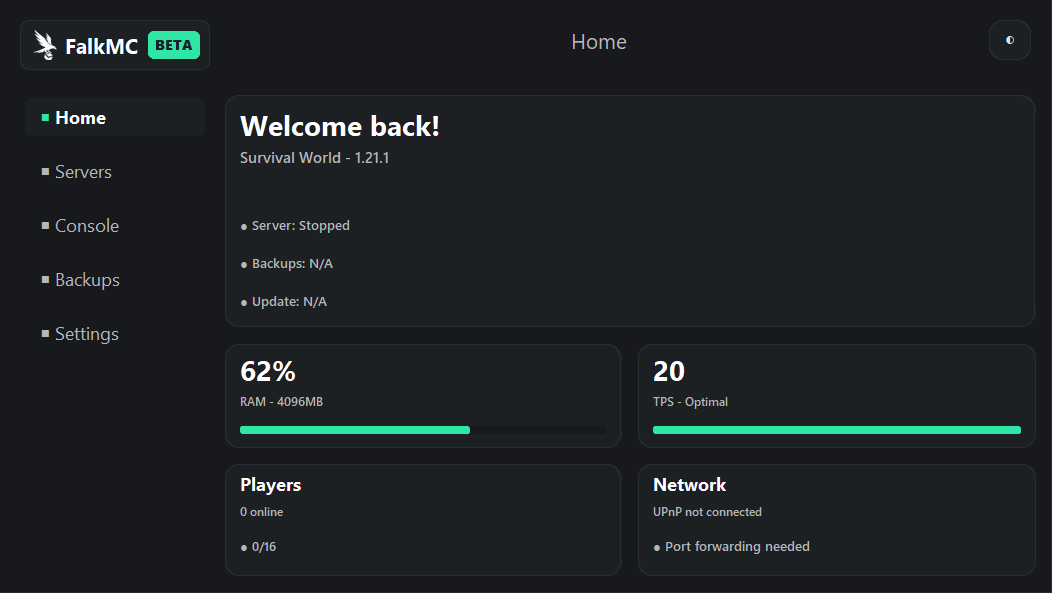


Your server. In under two minutes.
FalkMC Panel installs the server, opens the right port and gives you one dashboard for start/stop, RAM and backups
Features
Server list
See every server you've created in one place, with status shown at a glance.
Server control
Start, stop and restart your server from one panel.
One‑click setup
Vanilla installs itself, pick a version and FalkMC handles the rest.
Settings editor
Edit port, MOTD, difficulty and more, right from the UI, no config files.
Roadmap
Complete
Core Features
- Server discovery & controls
- Server settings editor
- Server installation wizard
In progress
Performance & Console
- RAM & performance monitoring
- Live console & logging
- Manual & scheduled backups
Planned
Network & Plugins
- Network & port management
- Plugin & mod manager
- Theme & UI polish
Planned
Release
- Full QA & code cleanup
- Public launch (v1.0)
Frequently Asked Questions
Do I need to install anything besides FalkMC Panel?+
Just Java 21 or higher. FalkMC detects it automatically and shows a download link if it's missing. Everything else, the server jar, config files and folder structure is set up by the panel.
Where are my servers stored?+
In
Documents\FalkMC\servers. Each server gets its own folder with the world, config and logs.How do my friends connect to my server?+
They connect using your public IP and port, both of which are shown on each server card in the panel. For players outside your home network, you'll need to forward that port on your router, the Network roadmap phase will add tooling for this.
I found a bug, how do I report it?+
Join the Discord and post in the bug-report channel with steps to reproduce, screenshots and any error messages.